WhalePool Revenue Distribution Feature Is Now Live! This feature allows users to distribute their earnings to another user by percentage. It provides flexible revenue distribution options for various hash rate providers and offers a flexible profit-sharing solution for miners participating in joint mining.
Notes:
1、WhalePool only provides a platform for revenue distribution. The distribution itself is an agreement reached between miners. Once a revenue distribution contract is created, it cannot be modified before it ends.
2、All mining assets currently supported by the pool can be configured for revenue distribution. Below is the detailed operation process:
一. Log in to Your Account
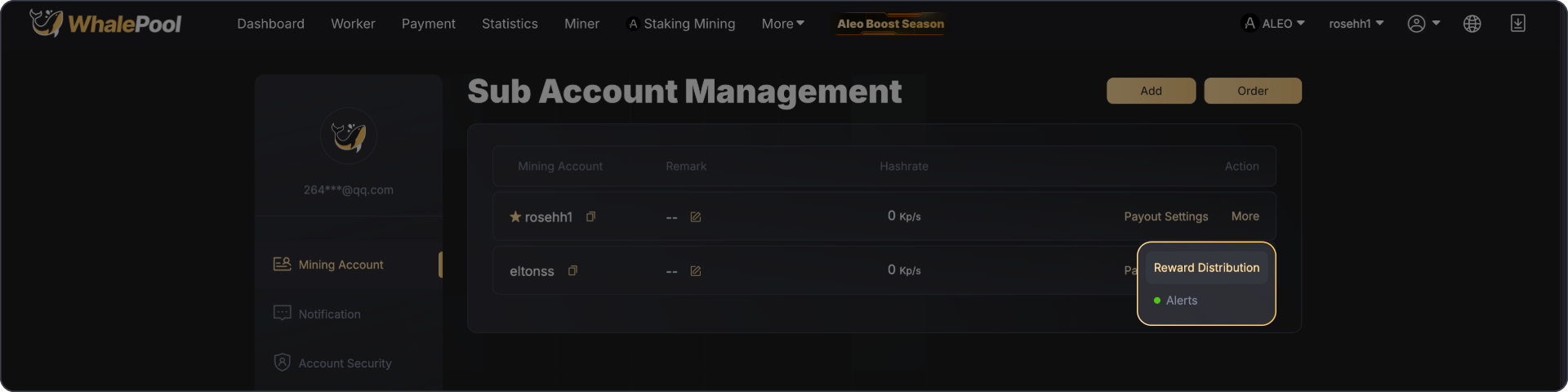
After logging in, locate the sub-account under the mining account. Click [More] and select [Revenue Distribution] to enter the main operation page.
Set Distribution Information
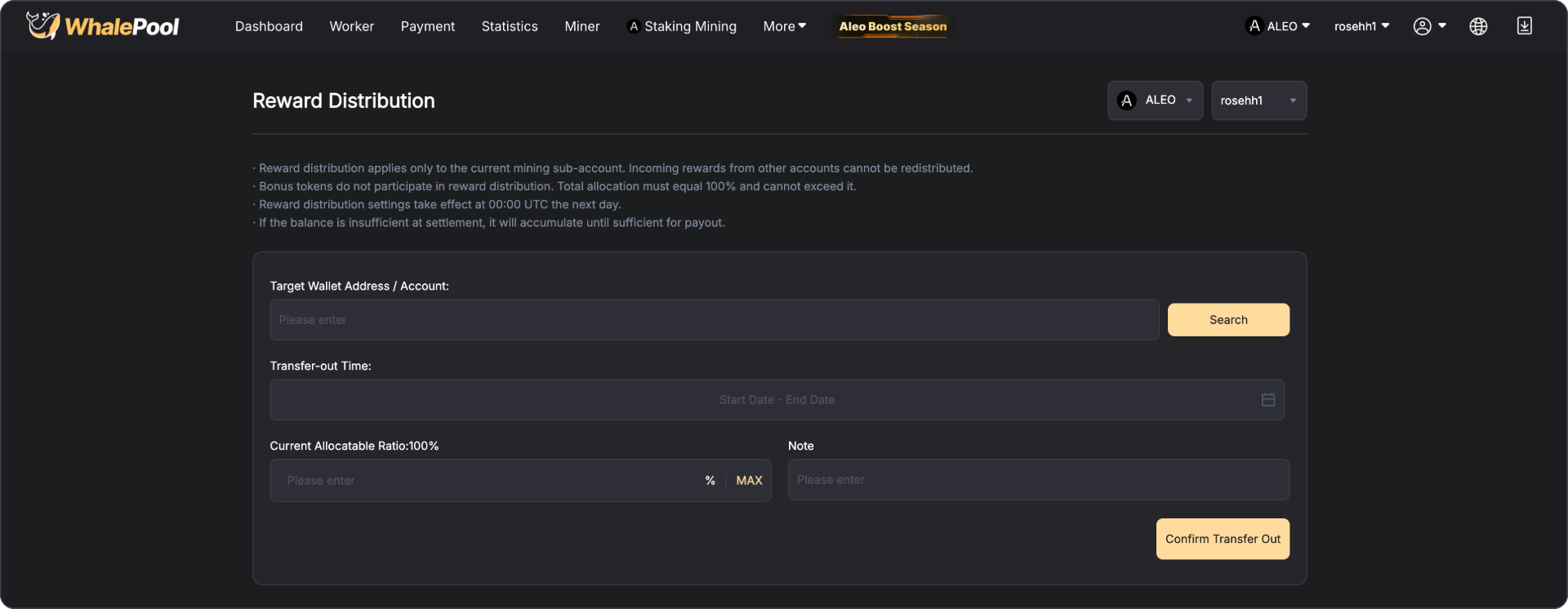
On the revenue distribution page, select the asset to be distributed, enter the recipient’s wallet address or sub-account name, transfer period, distribution ratio, remarks, and click confirm. For security reasons, multiple verification steps are required. After confirmation, wait for the distribution to take effect. Please note:
· Revenue distribution applies only to the current mining sub-account. Incoming earnings from other accounts cannot be redistributed.
· Bonus tokens are not included in revenue distribution. The total distribution ratio must equal 100% and cannot exceed 100%.
· Revenue distribution settings take effect at 00:00 UTC on the following day.
· If the balance is insufficient during settlement, it will accumulate until sufficient before settlement.
· If the current sub-account already has incoming distributed earnings, further distribution cannot be set.
二. View Revenue Information
For recipients:
· Log in and click Payouts to view earnings.
· Enter the wallet address on the homepage and click Search to view earnings.


 Litecoin
 Kaspa
Kaspa
 Aleo
Aleo
 Alephium
 Radiant